

Latest Version
January 02, 2025
Artisan Series
Windows
5
Report a Problem
More About Epson Artisan 830 Adjustment Program
Epson Artisan 830 Adjustment Program: A Comprehensive Guide
The Epson Artisan 830 is a versatile and high-performing all-in-one printer known for its exceptional photo printing quality, scanning capabilities, and elegant design. However, like many advanced printers, it requires periodic maintenance to maintain optimal performance. One essential tool for this purpose is the Epson Artisan 830 Adjustment Program. In this article, we’ll dive into what this program is, why it’s important, and how you can use it effectively.
What Is the Epson Artisan 830 Adjustment Program?
The Adjustment Program is specialized software developed to help Epson printer users reset various internal settings and counters. It is particularly useful for resolving issues like:
- Waste Ink Pad Counter Reset: The printer may display an error when the waste ink pad counter is full. The adjustment program can reset this counter, allowing the printer to function normally.
- Printhead Alignment: Ensures accurate ink distribution for sharp and vibrant prints.
- EEPROM Settings: Provides access to advanced configurations to fine-tune printer operations.
- Maintenance Reset: Allows resetting specific components after maintenance, ensuring the printer recognizes the changes.
Key Features of the Adjustment Program
- User-Friendly InterfaceThe program is designed with simplicity in mind, making it accessible even to users with minimal technical expertise.
- Comprehensive DiagnosticsIt offers detailed diagnostics to pinpoint and resolve issues efficiently.
- CompatibilityThe software is tailored specifically for the Epson Artisan 830, ensuring seamless performance and accurate adjustments.
- Time-Saving MaintenanceBy addressing issues like error codes and counter resets directly, the program eliminates the need for lengthy troubleshooting.
Why Use the Epson Artisan 830 Adjustment Program?
Over time, printers like the Artisan 830 experience wear and tear. Issues such as ink overflow, misaligned printheads, or error codes can disrupt productivity. The adjustment program is a cost-effective solution that saves you from unnecessary repair expenses and downtime.
For example, when the printer’s waste ink pad counter reaches its limit, the printer may stop working entirely. This is a safeguard to prevent ink overflow, but it can be frustrating. Using the adjustment program to reset the counter restores functionality without the need for professional intervention.
How to Use the Adjustment Program
Step 2: Prepare Your Printer
- Turn on your Epson Artisan 830 printer.
- Connect it to your computer via USB.
- Ensure there are no pending print jobs or error messages.
Step 3: Run the Program
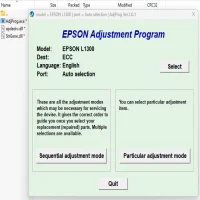
- Open the adjustment program.
- Select your printer model from the drop-down menu.
- Choose the specific function you want to perform (e.g., counter reset, printhead alignment).
Important Tips
- Use Official or Verified Sources: Always download the program from a trusted website to avoid malware.
- Backup Settings: Before making adjustments, it’s wise to back up the printer’s current settings.
- Seek Professional Help When Needed: If you’re unsure about using the program, consult a professional technician to avoid accidental damage.
Final Thoughts
The Epson Artisan 830 Adjustment Program is a powerful tool for maintaining your printer’s efficiency and longevity. Whether you’re resetting counters, aligning the printhead, or performing maintenance, this software simplifies complex tasks, ensuring your printer remains in top condition.
With proper use, you can save time, money, and the frustration of dealing with avoidable printer issues. Embrace the adjustment program as part of your routine printer care, and enjoy uninterrupted performance from your Epson Artisan 830.
Rate the App
User Reviews


Popular Apps