

Latest Version
January 02, 2025
Artisan Series
Windows
16
Report a Problem
More About Epson Artisan 810 Adjustment Program
Epson Artisan 810 Adjustment Program: A Comprehensive Guide
The Epson Artisan 810 is a versatile all-in-one printer known for its exceptional photo printing quality, ease of use, and multi-functional capabilities. However, like all printers, it can occasionally encounter issues such as print head alignment, ink absorption, and paper feed problems that require adjustment. This is where the Epson Artisan 810 Adjustment Program comes into play. This program, also known as the Epson Service Adjustment Program, is designed to help users perform maintenance tasks and fix errors that may arise with their printer.
In this article, we will explore what the Epson Artisan 810 Adjustment Program is, how to use it, its benefits, and the legal considerations associated with it.
What is the Epson Artisan 810 Adjustment Program?
The Epson Artisan 810 Adjustment Program is a software tool used to access hidden settings and perform maintenance tasks that are typically reserved for technicians or authorized service centers. The program allows users to reset various internal components of the printer, including the waste ink counter, print head alignment, and ink pad reset.
Over time, your printer's internal counters may accumulate data that, when not reset, could lead to performance issues. For example, the waste ink counter tracks the amount of ink that has been used during cleaning cycles. Once the counter reaches its limit, the printer may stop working or display error messages, even though the ink pads are not full. Using the Epson Artisan 810 Adjustment Program, users can reset these counters and restore the printer to its optimal condition.
How Does the Epson Artisan 810 Adjustment Program Work?
The program works by connecting the Epson Artisan 810 to your computer via USB and running the software to access the printer's internal settings. The Adjustment Program provides several functions that can help resolve common printer problems, including:
Waste Ink Reset: This function resets the waste ink counter to prevent errors related to ink absorption. It's particularly useful if you have encountered a "Waste Ink Pad Full" error, which often occurs when the printer's internal ink pads are near their capacity.
Print Head Alignment: This option allows you to realign the print head, which can improve print quality and prevent misalignment of colors or blurry prints.
Cleaning and Nozzle Check: The program can perform thorough cleaning cycles to ensure that ink flows smoothly through the print head and that the nozzles are not clogged.
Ink Pad Reset: Ink pads in the printer collect excess ink during cleaning cycles. When these pads reach their capacity, the printer may stop working. The Adjustment Program allows you to reset the ink pad counter and avoid unnecessary errors.
Printer Parameter Reset: This function allows you to restore the printer to its factory settings, which can be helpful if the printer experiences persistent issues.
How to Use the Epson Artisan 810 Adjustment Program
To use the Epson Artisan 810 Adjustment Program, follow these general steps:
Step 1: Download and Install the Program
Download the Adjustment Program: The Epson Artisan 810 Adjustment Program is not typically available from Epson's official website, so you may need to look for third-party sources or authorized service providers to obtain the software. Be sure to download the program from a reputable site to avoid any malware or viruses.
Install the Program: Once downloaded, run the installation file and follow the on-screen instructions. The program is compatible with both Windows and Mac operating systems, but make sure you download the correct version for your OS.
Step 2: Connect the Printer to Your Computer
Ensure your Epson Artisan 810 is connected to your computer via USB. The program needs a direct connection to the printer to perform adjustments.
Step 3: Run the Adjustment Program
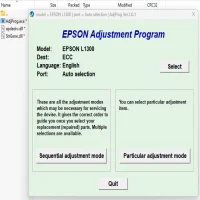
- Open the Epson Artisan 810 Adjustment Program on your computer.
- Select the printer model (Epson Artisan 810) from the list of available devices.
- Follow the instructions to choose the specific function you wish to perform, such as waste ink reset, print head alignment, or ink pad reset.
- Click on the "Start" or "Execute" button to begin the adjustment process.
Step 4: Perform the Desired Adjustment
Depending on the task you’ve selected, the program will guide you through the necessary steps. For example, if you're resetting the waste ink counter, the program will ask you to confirm the reset before proceeding.
After the adjustment is completed, the printer may restart or display a confirmation message that the reset or adjustment was successful.
Step 5: Test the Printer
Once the program has completed the adjustment, it’s a good idea to perform a test print or a nozzle check to ensure the printer is functioning correctly.
Benefits of Using the Epson Artisan 810 Adjustment Program
Cost-Effective Maintenance: Using the Epson Artisan 810 Adjustment Program allows you to avoid costly repair services or replacement parts. Many printer issues can be resolved by performing simple adjustments, saving you money on professional repairs.
Increased Printer Longevity: Regularly performing maintenance tasks like print head alignment and waste ink resets can extend the life of your printer, ensuring it operates smoothly for years.
Improved Print Quality: If your prints are blurry, misaligned, or streaked, the Adjustment Program’s features can help restore print quality, ensuring vibrant, sharp images and text.
Convenience: The program provides a user-friendly interface, allowing even those with minimal technical experience to perform complex maintenance tasks at home.
Legal and Ethical Considerations
While the Epson Artisan 810 Adjustment Program can be incredibly useful, it's important to note a few considerations:
Warranty Issues: Using third-party software, such as the Adjustment Program, may void your printer’s warranty. If your printer is still under warranty, consider contacting Epson support before using the program to ensure that you don’t inadvertently void the coverage.
Copyright and Legality: The Adjustment Program is typically not distributed by Epson directly, meaning downloading it from unofficial sources may raise questions regarding its legality and safety. Always ensure you download the program from a trusted, reputable source to avoid any legal or security risks.
Potential Risks: Performing adjustments incorrectly can cause permanent damage to your printer. It’s important to carefully follow the instructions provided by the Adjustment Program and only perform actions that you are comfortable with.
Conclusion
The Epson Artisan 810 Adjustment Program is a valuable tool for users who want to extend the life of their printer and resolve common issues without needing to rely on expensive repair services. By allowing you to reset the waste ink counter, realign the print head, and perform other essential maintenance tasks, this program offers a simple, cost-effective solution for managing your printer’s performance.
However, always exercise caution when using third-party software. Make sure you understand the potential risks and legal implications before downloading and running the program. By taking these precautions, you can enjoy a smoother, more efficient printing experience with your Epson Artisan 810 for years to come.
Rate the App
User Reviews


Popular Apps