

Latest Version
January 02, 2025
Artisan Series
Windows
35
Report a Problem
More About Epson Artisan 730 Adjustment Program
Epson Artisan 730 Adjustment Program: A Comprehensive Guide
The Epson Artisan 730 is a versatile all-in-one printer known for its high-quality photo printing, scanning, and copying capabilities. However, like many other printers, over time, it may encounter issues such as ink pad counter errors or alignment problems. To address these issues, the Epson Artisan 730 Adjustment Program is an essential tool that can help users reset the printer’s maintenance counter and fix various problems. In this article, we’ll explore what the Epson Artisan 730 Adjustment Program is, how it works, and how to use it effectively.
What is the Epson Artisan 730 Adjustment Program?
The Epson Artisan 730 Adjustment Program is a software tool that is designed specifically to reset the internal counters of the printer, manage the printer's maintenance processes, and fix common errors related to the printer’s functions. These errors often occur after extended use, especially when the printer's internal components, such as the ink pads or waste ink counter, reach a preset limit. Once this limit is reached, the printer may display an error message or stop working until the maintenance counter is reset.
The adjustment program allows users to reset the ink pad counter, perform head cleaning, adjust ink levels, and calibrate the printhead. It's an invaluable tool for maintaining your Epson Artisan 730 and extending its lifespan.
Common Issues Fixed by the Adjustment Program
Waste Ink Pad Counter Errors: The most common issue that prompts the use of the Adjustment Program is the waste ink pad counter error. This occurs when the printer has collected too much ink in the waste ink pads, which are designed to absorb excess ink during the printing process. Once the pads reach their capacity, the printer may refuse to print until the counter is reset.
Print Head Misalignment or Poor Print Quality: Over time, the print head may become misaligned or clogged, causing print quality issues. The Epson Artisan 730 Adjustment Program allows users to perform printhead alignments and nozzle checks to resolve this problem.
Ink Pad Maintenance: In addition to resetting the waste ink pad counter, the program also offers features for managing ink pad maintenance, helping to prolong the life of the printer and prevent further ink-related errors.
Other Reset Functions: The adjustment program can also be used to reset other counters, such as the scanner's maintenance counter or the printer's general maintenance routines, ensuring your Epson Artisan 730 operates optimally.
How to Use the Epson Artisan 730 Adjustment Program
Before you begin, it's essential to note that the Epson Artisan 730 Adjustment Program is not officially supported by Epson for end users. This means that it’s usually not available directly from Epson's website, and you may need to find third-party sources to download it. Always ensure you are downloading software from a trusted and reliable website to avoid malware and other issues.
Step-by-Step Guide to Using the Adjustment Program:
Download and Install the Adjustment Program:
- Search for the Epson Artisan 730 Adjustment Program from a trusted website.
- Download the program file (usually a ZIP file).
- Extract the contents of the ZIP file to a folder on your computer.
- Run the setup or installation file to install the program.
Connect the Printer to the Computer:
- Ensure your Epson Artisan 730 is connected to your computer via USB or over a local network.
- Make sure the printer is turned on.
Launch the Adjustment Program:
- Open the Epson Artisan 730 Adjustment Program by clicking on the installed application.
- The program should detect your printer automatically. If not, ensure the printer is properly connected and try restarting the program.
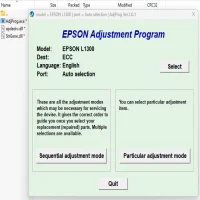
Select the Desired Adjustment Mode:
- The main screen of the program will present various options, such as “Ink Pads,” “Waste Ink Counter,” and “Head Cleaning.”
- Choose the “Waste Ink Pad Counter” option if you're dealing with a counter error. You can also select the “Head Cleaning” or “Print Head Alignment” options to address print quality issues.
Perform the Reset or Maintenance:
- If you're resetting the waste ink pad counter, click the “Reset” button.
- The program will prompt you to confirm the reset. After confirming, it will automatically reset the counter.
- If performing other adjustments, follow the on-screen instructions to complete the process.
Restart the Printer:
- After the reset or maintenance process is complete, turn off the printer and then turn it back on.
- The printer should now operate normally without the waste ink pad error.
Test the Printer:
- After performing the adjustment, print a test page to ensure the printer is functioning correctly.
- If you’ve done a printhead cleaning or alignment, check the print quality to confirm that any issues have been resolved.
Important Considerations
- Backup Your Data: Always back up important documents before using the adjustment program, as it might affect printer settings or preferences.
- Warranty Void: Since this is unofficial software, using the Epson Artisan 730 Adjustment Program may void your printer’s warranty. Always consult Epson’s customer service if your printer is still under warranty.
- Caution with Third-Party Software: Be cautious when downloading third-party software. It’s important to make sure the software comes from a reputable source to avoid any security risks.
Benefits of Using the Epson Artisan 730 Adjustment Program
Cost-Effective Solution: The adjustment program allows users to resolve common issues without having to spend money on professional repairs or replacement parts.
Increased Printer Lifespan: Regular maintenance, such as ink pad resets and printhead cleaning, can extend the lifespan of your Epson Artisan 730, ensuring it continues to produce high-quality prints for years.
Self-Sufficiency: The adjustment program empowers users to perform routine maintenance and fixes themselves, saving time and avoiding service center delays.
Conclusion
The Epson Artisan 730 Adjustment Program is a valuable tool for users who want to maintain their printer’s performance and troubleshoot common issues like waste ink pad errors and printhead misalignment. While it is not officially supported by Epson, it offers a self-service solution that can help users avoid costly repairs. By following the proper steps and taking necessary precautions, you can keep your Epson Artisan 730 running smoothly and enjoy its exceptional printing capabilities for longer.
If you’re experiencing persistent issues with your printer, it’s always best to consult professional service providers or reach out to Epson’s customer support for further guidance. However, for most common issues, the adjustment program can serve as an effective and convenient solution.
Rate the App
User Reviews


Popular Apps