Latest Version
January 01, 2025
Artisan Series
Windows
11
Report a Problem
More About Epson Artisan 50 Adjustment Program
Epson Artisan 50 Adjustment Program: A Comprehensive Guide
The Epson Artisan 50 is a versatile, high-performance inkjet printer that has gained recognition for its exceptional print quality and vibrant color reproduction. Like any electronic device, the printer requires occasional maintenance to keep it in optimal working condition. This is where the Epson Artisan 50 Adjustment Program comes into play, offering a set of tools designed to help users manage and repair the printer effectively.
What is the Epson Artisan 50 Adjustment Program?
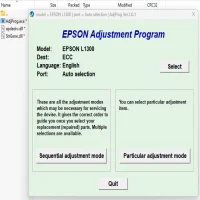
The Epson Artisan 50 Adjustment Program is a specialized software tool that allows users to perform various adjustments and maintenance tasks on their Epson printer. It is particularly helpful for troubleshooting and resolving issues related to ink cartridges, print quality, and other mechanical functions. Unlike the standard printer settings available through the control panel or the computer’s operating system, the adjustment program gives you deeper control over the printer’s internal functions, such as ink usage and waste ink pad management.
Key Features of the Adjustment Program
- Ink Pad ResetOver time, the waste ink pads in the Epson Artisan 50 fill up with ink, which can lead to error messages indicating that the pads need to be replaced. The adjustment program allows users to reset the waste ink pad counter, enabling the printer to function without the need for immediate replacement of the pads. This feature can be especially helpful for those looking to extend the printer’s lifespan.
- Nozzle Check and CleaningThe program provides an efficient way to clean clogged print heads or check for nozzle issues. Print head cleaning helps maintain the quality of printed images by ensuring that each nozzle is functioning properly, which is essential for crisp text and vibrant colors.
- Resetting Ink LevelsIf you experience issues with inaccurate ink level readings, the Epson Artisan 50 Adjustment Program lets you reset the ink counters. This can be useful when refilling cartridges or using third-party ink, ensuring that the printer’s ink level monitor remains accurate.
- Paper Feed AdjustmentIf the printer is having issues with feeding paper correctly, such as misfeeds or jams, the program includes tools for adjusting the paper feed mechanism. These adjustments help ensure smooth and reliable paper handling.
- Print Head AlignmentMisalignment of the print heads can result in blurry prints or unwanted lines in your output. The adjustment program allows users to perform a print head alignment to restore sharpness and accuracy to their prints.
- Motor and Sensor TestingThe adjustment program also includes tests for the printer’s internal motors and sensors, ensuring they are functioning optimally. These tests can be used to diagnose mechanical issues and ensure smooth operation.
How to Download and Install the Epson Artisan 50 Adjustment Program
- Find the Program OnlineThe Epson Artisan 50 Adjustment Program is not officially provided by Epson for free but is available from various third-party websites. Be cautious when downloading software from unofficial sources, as it may come with risks such as malware or incompatible versions.
- Download the SoftwareOnce you’ve found a reliable source, download the program to your computer. It may come in a ZIP file, so you’ll need to extract the contents before proceeding with the installation.
- Install the ProgramAfter extraction, open the installation file and follow the on-screen instructions to install the program. The software is typically compatible with Windows operating systems, so users on MacOS may need to use additional tools or seek alternative methods.
- Run the Adjustment ProgramOnce the software is installed, launch it, and connect your Epson Artisan 50 printer to the computer via USB. The program should automatically detect the printer and display a list of available maintenance functions.
- Perform AdjustmentsChoose the adjustment option you need and follow the on-screen instructions to execute the necessary repairs or adjustments. It’s essential to carefully read the prompts to avoid accidental changes to critical settings.
Safety and Considerations
While the Epson Artisan 50 Adjustment Program can be an invaluable tool for maintaining your printer, it is essential to use it responsibly:
- Backup Settings: Before making any adjustments, consider backing up the printer’s current settings to avoid accidental changes that may affect performance.
- Avoid Overuse: Excessive use of certain features, such as cleaning or resetting ink levels, may lead to unnecessary wear and tear on the printer components.
- Check for Warranty Impact: Using third-party software or performing certain adjustments may void the printer’s warranty. It’s advisable to consult the warranty terms before proceeding with any repairs using the adjustment program.
Conclusion
The Epson Artisan 50 Adjustment Program is a powerful tool that allows users to perform essential maintenance and repairs on their printer. It offers a convenient way to manage issues related to ink pads, print quality, and mechanical performance, extending the lifespan and functionality of the printer. However, users must exercise caution when using the program and ensure that they are using it in accordance with their printer's warranty terms. With the right precautions, the adjustment program can help you maintain your Epson Artisan 50 in excellent condition for years to come.
Rate the App
User Reviews


Popular Apps