Latest Version
More About Epson PM-T960 Adjustment Program
Epson PM-T960 Adjustment Program: A Complete Guide
The Epson PM-T960 is a high-performance printer designed for professional photo and graphic printing. Whether you are working in a creative studio or in a printing business, maintaining this printer’s optimal functionality is crucial. The Epson PM-T960 Adjustment Program is an essential tool for printer maintenance and troubleshooting, allowing users to reset or adjust certain printer functions to ensure smooth operations. This guide will take you through the essential features, setup, and benefits of the Epson PM-T960 Adjustment Program.
What is the Epson PM-T960 Adjustment Program?
The Epson PM-T960 Adjustment Program is a software utility designed for users to reset and configure specific settings on their Epson PM-T960 printer. It’s mainly used for functions like:
-
Resetting Waste Ink Counters: Printers accumulate ink waste over time, which is stored in a waste ink pad. The Adjustment Program can help reset these counters to prevent error messages and allow continued use without interruptions.
-
Head Cleaning and Print Head Calibration: Regular head cleaning is vital to ensure print quality. The Adjustment Program also offers tools for head calibration to improve the accuracy of printouts.
-
Firmware and Software Updates: The program can update the printer’s firmware, keeping it up-to-date with the latest features and fixes from Epson.
-
Adjusting Paper Feed and Alignment: The software allows users to adjust the paper feed to prevent misalignment or paper jams during printing.
-
Changing Printer Settings: Users can tweak specific settings for optimal performance, including print density, media types, and other parameters.
Benefits of Using the Epson PM-T960 Adjustment Program
Using the Epson PM-T960 Adjustment Program offers several advantages:
-
Extended Printer Life: Regular maintenance and reset features keep the printer in optimal condition, helping extend its lifespan and avoiding costly repairs.
-
Improved Print Quality: Calibration and head cleaning tools can improve print clarity, color accuracy, and consistency, ensuring professional-level results.
-
Prevention of Errors: Resetting waste ink counters and cleaning cycles prevents error messages related to ink overflow and clogged nozzles, reducing downtime.
-
Cost Efficiency: By performing basic maintenance tasks yourself, you can save on repair costs and reduce reliance on professional technicians.
How to Use the Epson PM-T960 Adjustment Program
To use the Epson PM-T960 Adjustment Program, follow these steps:
-
Download the Program: Obtain the software from a trusted source. Be cautious to avoid downloading malicious files from unverified sites.
-
Install the Program: After downloading, install the software by following the on-screen instructions. Ensure the Epson PM-T960 printer is connected to the computer via USB or network connection.
-
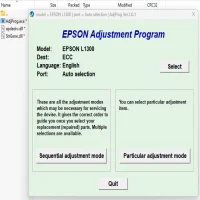
Launch the Adjustment Program: Once installed, open the program. The user interface may seem complex, but the software provides step-by-step instructions for different maintenance tasks.
-
Perform Desired Functions: Select the function you want to adjust. This could include resetting ink counters, performing head cleaning, or adjusting print settings. For instance, if you are resetting the waste ink counter, the program will guide you through the necessary steps to ensure the counter is reset correctly.
-
Test the Printer: After completing the adjustment, print a test page to ensure that the adjustments made have had the desired effect.
Common Issues and Troubleshooting
While the Epson PM-T960 Adjustment Program is straightforward to use, some common issues can arise during maintenance. Here are a few troubleshooting tips:
-
Failed Reset of Waste Ink Counter: If the reset doesn’t work, ensure that you’re following the procedure correctly. Double-check that the printer is not in use when performing the reset.
-
Print Quality Issues After Head Cleaning: If print quality deteriorates after cleaning, you may need to repeat the cleaning process or perform a deeper calibration.
-
Software Compatibility: The Adjustment Program is compatible with Windows and macOS, but make sure to download the version that matches your operating system.
Conclusion
The Epson PM-T960 Adjustment Program is an indispensable tool for anyone using this high-performance printer. It helps keep the printer functioning optimally, ensuring high-quality prints and reducing downtime. With regular use, you can significantly extend the life of the printer and enhance overall productivity. Always remember to follow the manufacturer’s instructions when using the program and ensure you’re using a reliable source to download the software.
By leveraging the full potential of the Epson PM-T960 Adjustment Program, you can maximize the efficiency and effectiveness of your printing operations.
Rate the App
User Reviews
Popular Apps