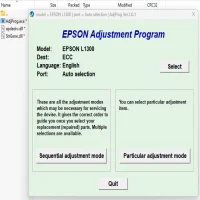


Latest Version
More About Epson B-510DN Adjustment Program
Epson B-510DN Adjustment Program: A Comprehensive Guide
The Epson B-510DN is a robust, high-performance inkjet printer designed for business use. Renowned for its speed, efficiency, and high-yield capabilities, it’s a go-to option for professionals seeking dependable printing solutions. However, like any sophisticated device, it may require periodic maintenance and fine-tuning. This is where the Epson B-510DN Adjustment Program comes into play.
What is the Epson B-510DN Adjustment Program?
The Adjustment Program is specialized software developed to facilitate the maintenance and troubleshooting of Epson printers. It allows users to reset printer components, fine-tune settings, and address error codes that might otherwise require a service technician. For the B-510DN model, this tool is especially beneficial in ensuring long-term performance while minimizing downtime.
Features of the Adjustment Program
- Reset Waste Ink Pad CounterEpson printers track the amount of ink absorbed by the waste ink pads. When these pads are deemed full, the printer ceases to function. The adjustment program enables users to reset this counter, allowing the printer to resume operation after cleaning or replacing the pads.
- Head AlignmentMisaligned printheads can lead to blurry or uneven prints. The software facilitates precise alignment, ensuring that the printer delivers sharp, professional-quality output.
- Ink Charge and Nozzle CheckThe tool performs ink charging and nozzle checks to identify and resolve clogs, ensuring consistent ink flow and optimal print quality.
- EEPROM SettingsUsers can access and modify EEPROM settings to customize printer performance or restore it to factory defaults.
- Error Code DiagnosticsThe software deciphers cryptic error codes, providing detailed insights into issues and guiding corrective actions.
Benefits of Using the Adjustment Program
- Cost-Effective Maintenance: Eliminates the need for frequent service center visits, saving both time and money.
- Enhanced Printer Lifespan: Regular maintenance using the program ensures the printer operates smoothly for years.
- User-Friendly Interface: Designed for ease of use, even for non-technical individuals.
- Customizable Options: Tailor printer settings to meet specific needs.
How to Use the Epson B-510DN Adjustment Program
- Download the ProgramObtain the Adjustment Program for the B-510DN from a trusted source. Always ensure the source is reliable to avoid malware or software incompatibility.
- Install the SoftwareFollow the installation instructions provided. Ensure your computer has the necessary drivers for the B-510DN.
- Connect the PrinterConnect the B-510DN to your computer using a USB cable. Ensure the printer is powered on and recognized by the system.
- Select the ModelOpen the software and choose the Epson B-510DN model from the dropdown list.
- Perform the Required TaskNavigate the menu to select the specific adjustment or reset function you need. Carefully follow on-screen instructions to avoid errors.
- Test the PrinterAfter completing the process, print a test page to verify that the issue has been resolved.
Precautions to Take
- Backup Settings: Before making any changes, back up the printer’s current settings to prevent accidental misconfigurations.
- Legal Use Only: Ensure the software is used in accordance with Epson's terms and conditions. Misuse may void warranties or violate agreements.
- Avoid Overuse: Resetting waste ink counters repeatedly without addressing the underlying issue can lead to printer damage.
Final Thoughts
The Epson B-510DN Adjustment Program is an invaluable tool for maintaining and troubleshooting your printer. By using this software responsibly, you can extend your printer's life, enhance its performance, and avoid unnecessary repair costs. Whether you're dealing with error codes, misaligned printheads, or waste ink counter issues, this program ensures that your B-510DN remains in peak condition, keeping your business operations running smoothly.
Rate the App
User Reviews


Popular Apps